This guide explains how to use the feature in FlyLAT.
For flyLAT to work correctly and sufficiently, you will need to adjust just few settings in the sim
1. Load up into the sim
2. Go into sesttings
3. Click on Data Output tab
4. Set your UDP Rate to 1.0 (located on the right, its the middle slider)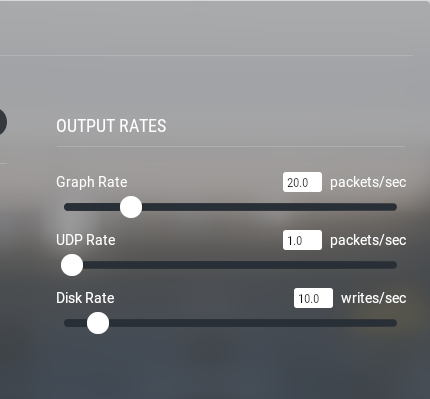
5. Ensure IP Address is 127.0.0.1 and set port to 49002
6. Next you need to tick a checkbox under `Network via UDP`
Tick the following (you can search by the name)
3 Speed
4 Mach, VVI, G-load
17 Pitch, roll, headings
20 Latitude, longitude & altitude
131 Ground elevation
7. Once you do all that, simply press DONE. You might need to restart your sim if it doesn't pick it up straight away.
← Back to Xplane