flyLAT On Linux
This guide explains how to use the flyLAT On Linux feature in FlyLAT.
This tutorial has been created by Zgredek_fly
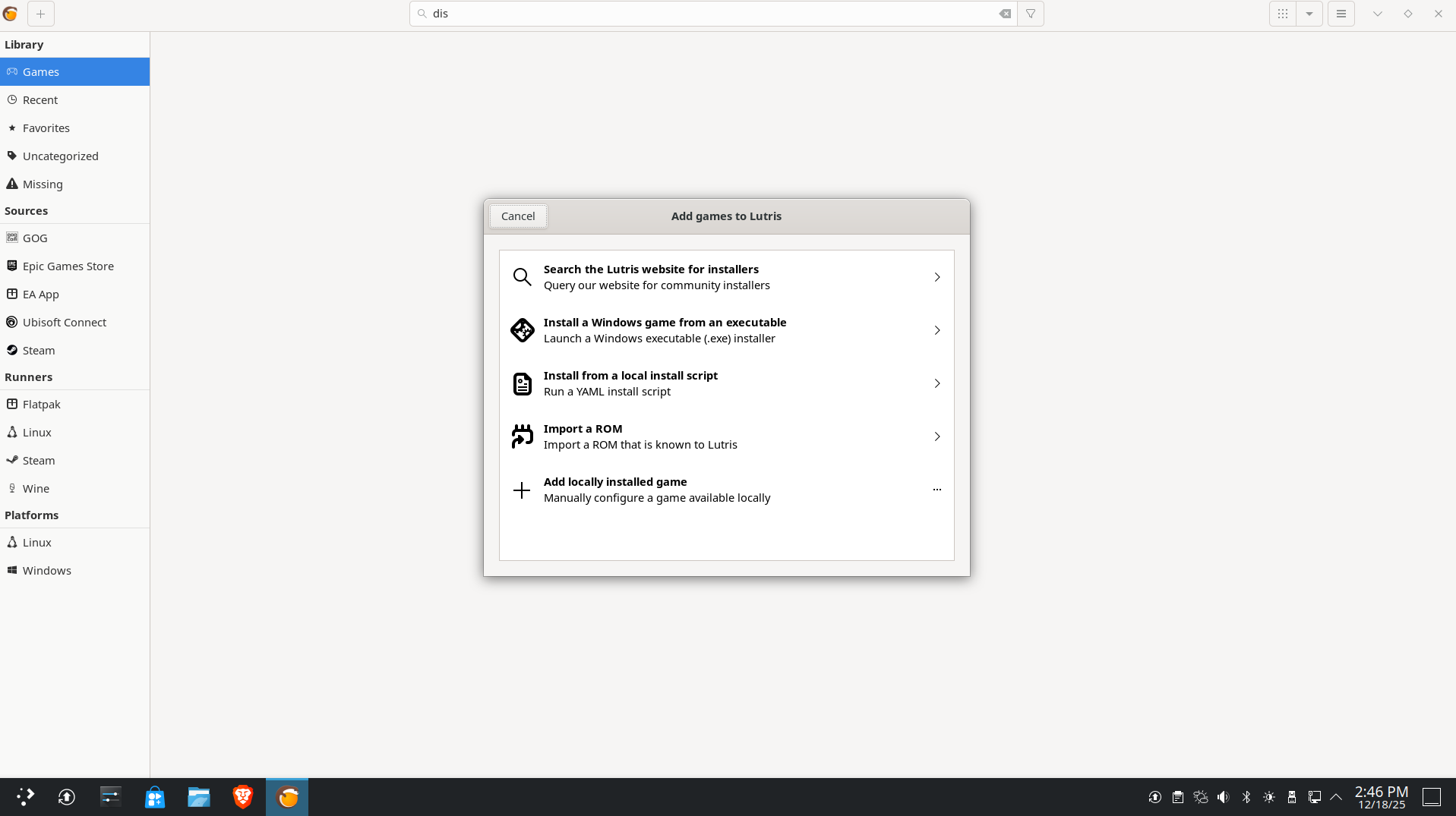
I use the Lutris app. It generally works fine for me, except for a small bug, which I'll describe later. Use the plus sign in the upper left corner, then "Add locally installed game."
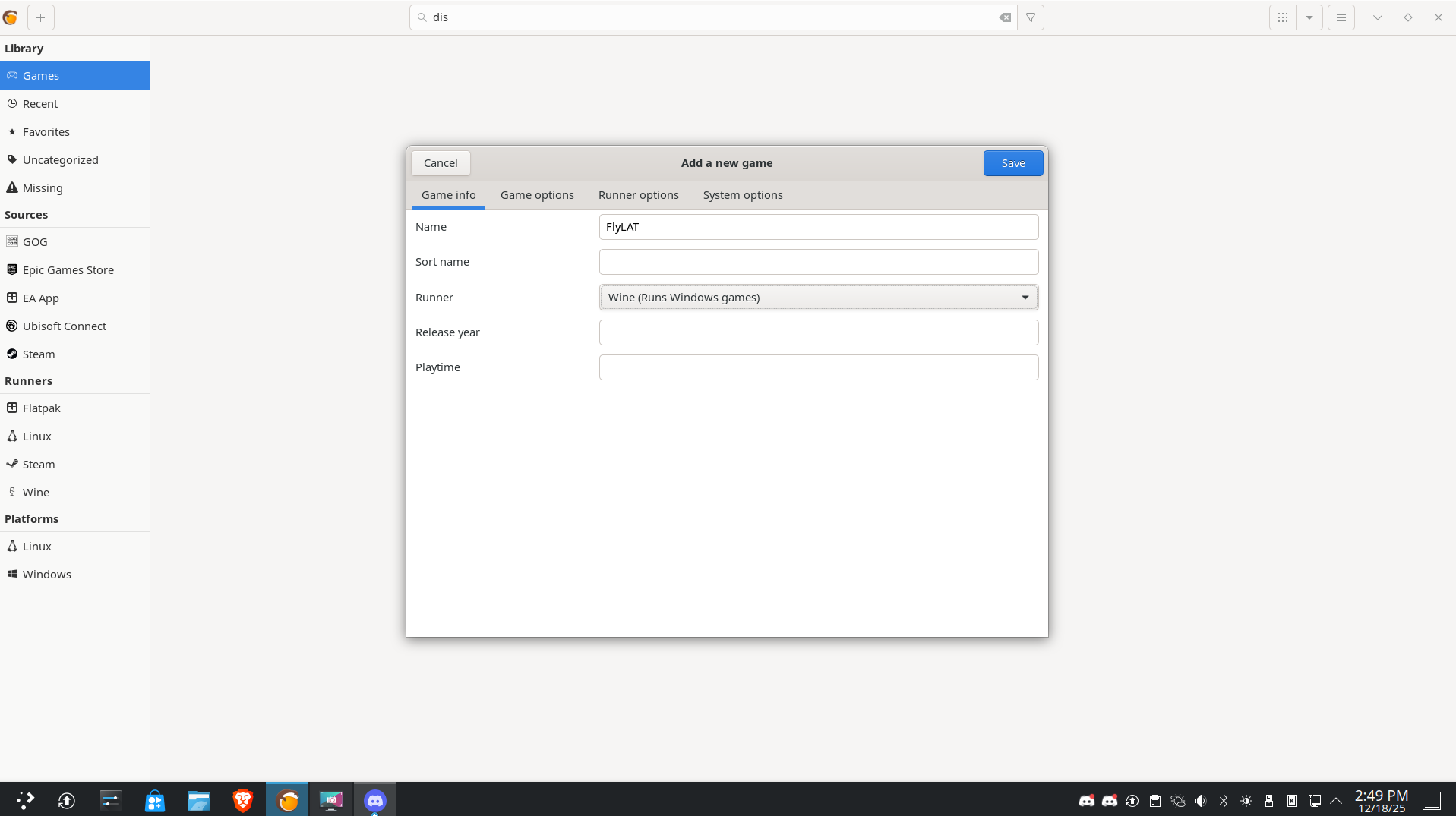
We set the name as you want and the runner as wine
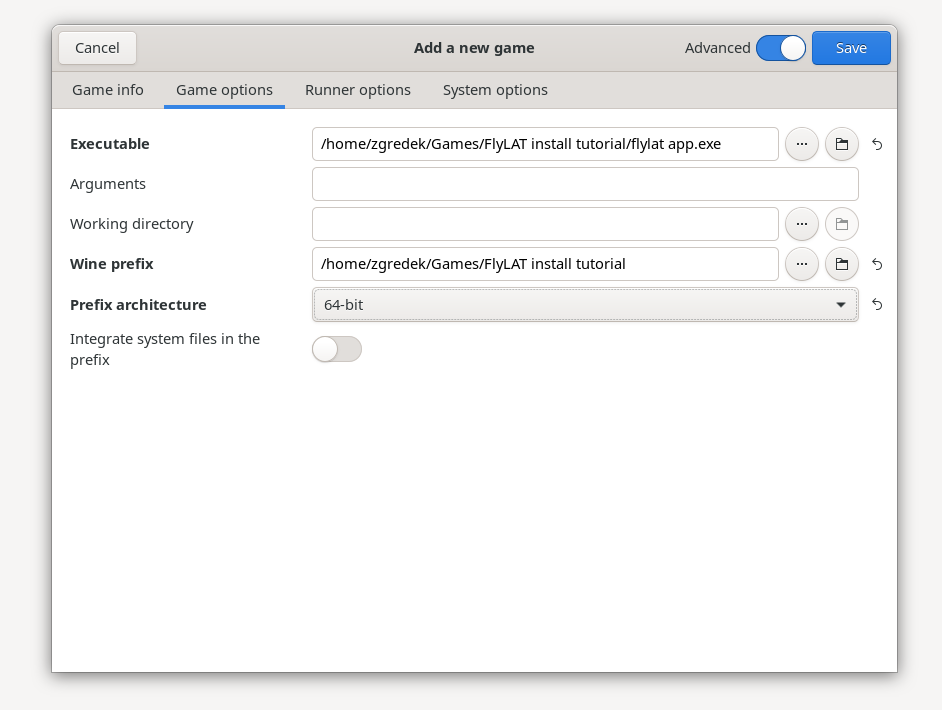
Then, select Game Options. Executable, the path to the folder with the unpacked FlyLAT, and the wine prefix (the target location for FlyLAT). Set the prefix to 64-bit. I don't know why it crashes without it.
And last thing, change Wine version to 10.16 on 8.26 it does not update correctly
Link: DOWNLOAD
Alt Link: Alt Link
Then click play and everything should work, you may need to install the 8.21 library, don't do it via the Wine trick, because the general version is 8.0, not 8.0.21. Then, instead of the Flylat .exe file, you just upload the MS .net file and install it.
Then, for order and consistency, I recommend creating a folder inside the prefix FlyLAT folder in Wine and moving the installer there, and then replacing the path in Lutris with the current one.
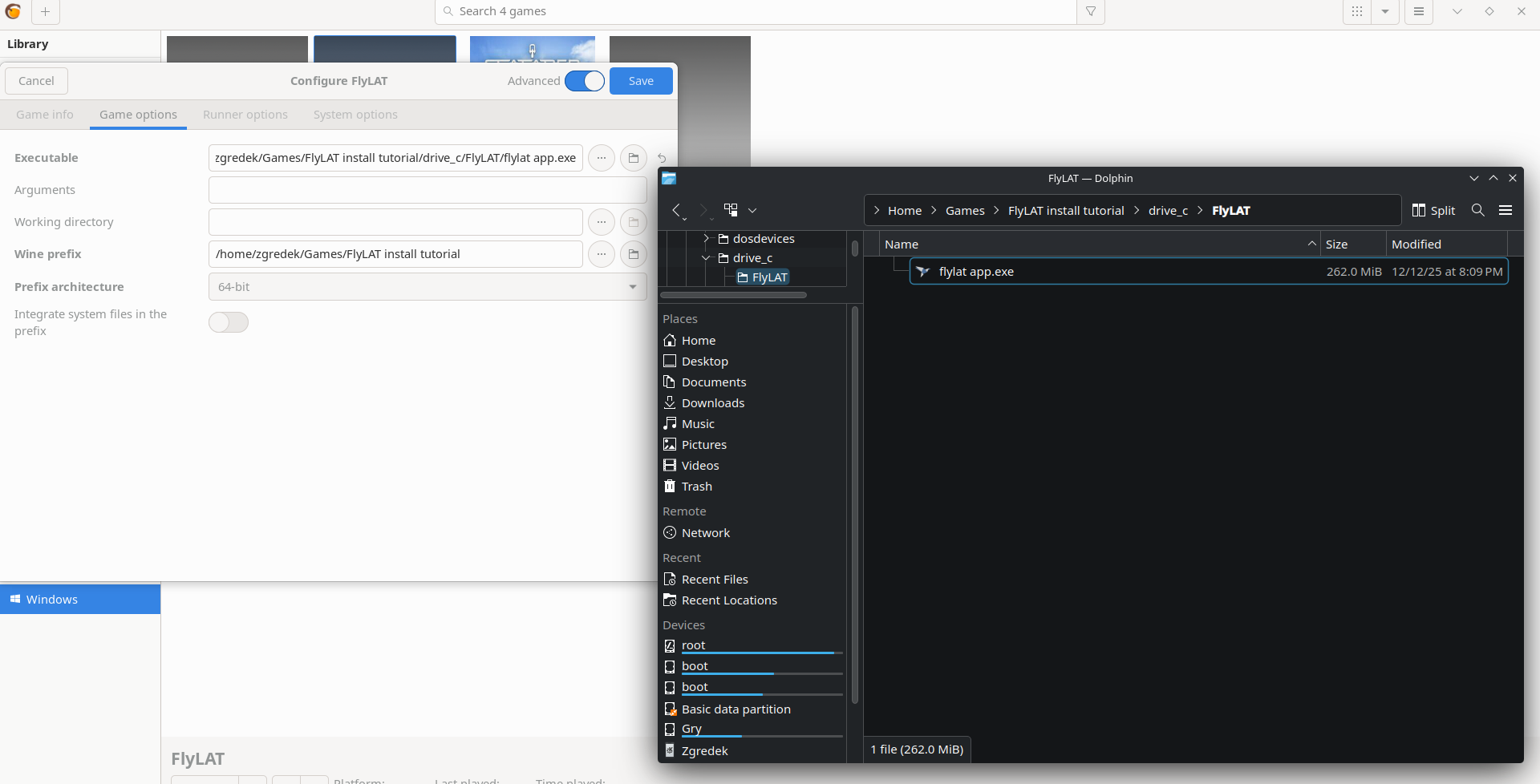
That's all. FlyLAT should work normally on Linux, but I'm noticing some bugs.
1. I'm using two monitors, and when FlyLAT is on both, the interface keeps flashing black, clearly a graphical bug.
2. After the last update, FlyLAT interprets the XP12 information the wrong way. When you're on the ground, it sees you in the air, and when you're in the air, it sees you on the ground. This could be because I have Lutris as a flatpack. I'm also using the BETA version of Land. The only thing is that after landing, you have to press unstack flight and then press on the ground. If that doesn't help, temporarily disable data transmission via XP12 and try again. The flight works normally without any issues.
I haven't addressed these two bugs because I don't have the time. Good luck everyone, and I'm here to help if you have any problems!
Thank you to Zgredek_fly for providing this tutorial