Flight Selection
This guide explains how to use the Flight Selection feature in FlyLAT.
🔧 What Is It?
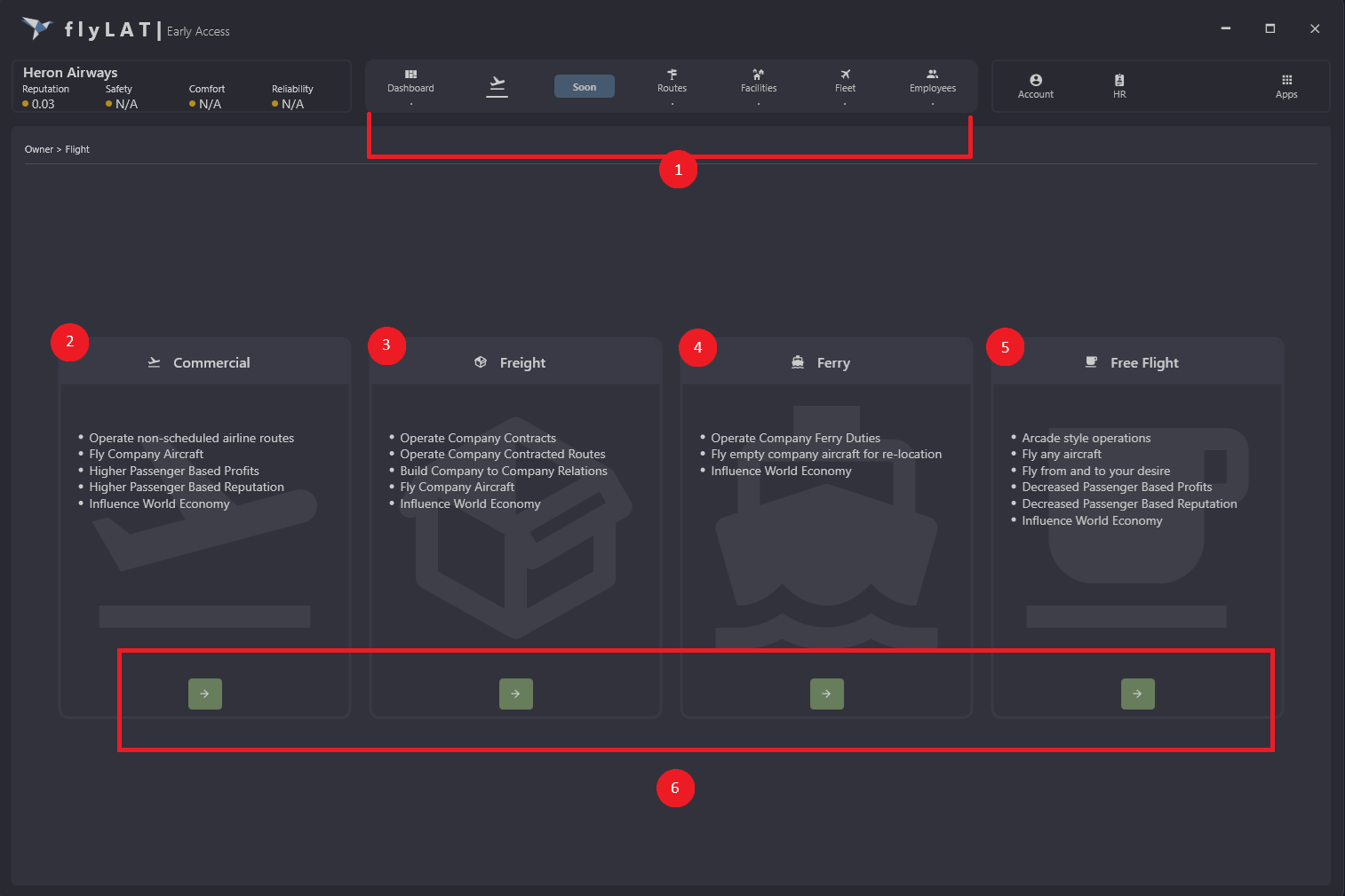
Once you click on FLIGHT (which is the second icon from the left in the menu). You will be presented with a selection screen. This is where you select your flight.
🛠 How to Use
- This is your main menu (might look slightly different if you are an employee)
- Commercial flights, you will be able to fly your company routes and your company aircrafts
- Freight, this is our cargo feature. You will need to get a cargo contract first via webapp or in flyLAT app by pressing on the app (top right), you will also need cargo aircraft
- Ferry, moving your company aircrafts between locations
- Free Flight, arcade flight, you don't need a route or an aircraft. You are free to fly from anywhere to anywhere
- This is where you confirm the mode
💡 Tips
- Remember to have your sim ready
📌 Did You Know?
- All employees can use the app for free once flyLAT becomes premium
- Cargo has multiple version in one
- We will have another few modes... but it's a secret for now