Aircraft Overhauls
This guide explains how to use the Aircraft Overhauls feature in FlyLAT.
Introduction
If like me (Simmy), you're a little more sentimental with your fleet, retirements aren't really an option and frankly, selling them would break you heart. Then look no further than fleet overhauls. This option allows you keep your fleet going for that bit extra.
Area
Fleet Management > Fleet > Select an aircraft
Overhaul Information
On your asset dashboard, the first screen that pops up after clicking into an aircraft, you've got some "options". Overhaul options and Conversion Options. On this tutorial, we're focusing on Overhaul.
Image 1: E170 Overhaul not available
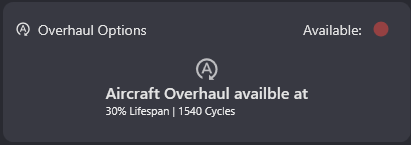
When you see this version of the overhaul option. It's as it says on the tin. Your aircraft is not available for overhaul. Why? Well because as much as Mr. Banks benefits from your average curiosity clicks, I can't allow folks to overhaul brand new aircraft. What's the point?
The information shown here on this card, is a red traffic light system suggestion unavailability and an indicator as to when the aircraft will be available for overhaul. In this case, it's 30% lifespan AND specifically 1540 cycles (flights) or lower. The reason why you have both is you could come within the 30% lifespan range and it not be available thus making it confusing. So having the flights there too avoids the helpdesk getting clogged up.
Image 2: A220-300 overhaul available
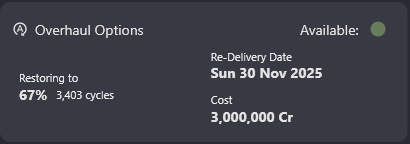
Here we have an example of the overhaul being available. Let's look at what we're being told.
Specifically, this aircraft has 30% lifespan remaining and 1540 flights. So overhaul came available after it's previous flight. The information on the card is telling us that after the overhaul, this aircraft will be restored to 67% lifespan remaining, a 37% increase while the flight cycles will return to ~3400, an increase of over double what it had remaining. All that for the ripe price of 3 million Cr and at the time, 6 days of waiting. Needless to say these stats will change endlessly with each airframe and the aircrafts condition. But this is how you read said information.
How-to
There are two ways this can go. Either, your aircraft is already at a listed MRO facility or it isn't. MRO being maintenance, repair & overhaul facility. These facilities are not purchasable, you MUST ferry the aircraft to one of these facilities for the work to be carried out. That also means there's two sets of instructions. Let's break that down.
Step 1 - Overhaul
No matter where the aircraft is, to start all of this, head into fleet > select your aircraft. On the right hand side, you will have "Aircraft Actions". It's here where you'll see a "Overhaul" button in the caution colours (yellow). To get started, click on this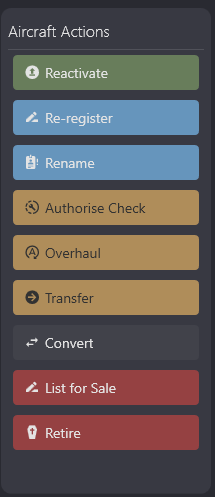
Step 2 - Non MRO Facility
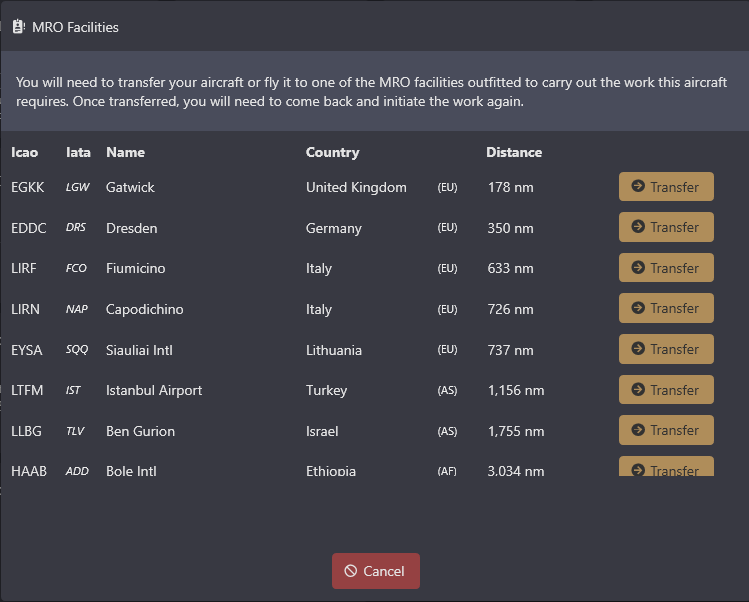
If you aircraft IS NOT at a MRO facility you will be left with this screen, ordered by closest facility. The list is scrollable with around 20 facilities world wide. There is no limit at these facilities. Once you're happy with the facility, click transfer and off your aircraft goes to this facility.
please note: transferring your aircraft does not automatically authorise the overhaul work. You must wait for the aircraft to arrive before re-trying the Overhaul option, details lined out in step 3.
Step 3 - Authorisation
Assuming you're happy with the details shown on your aircraft dashboard, price, time and restoration. Once your aircraft has arrived (if it needed moving), clikc Overhaul again and you will be prompted: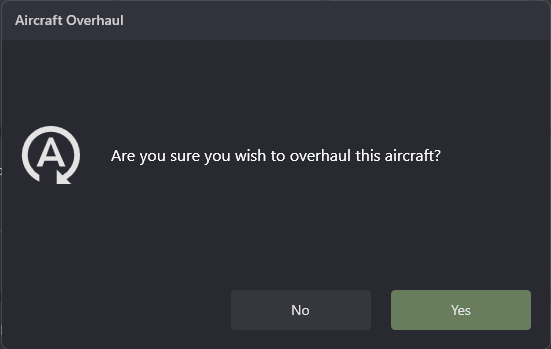
From the moment you click YES, that aircraft becomes unavailable until the date shown on the dashboard, the price will be automatically deducted from your cash account (in-game account) and will otherwise be un-usable.
← Back to Fleet