Fleet Maintenance
This guide explains how to use the Fleet Maintenance feature in FlyLAT.
Introduction
What is mx and what is maintenance?
Well, like anything, planes need fixing up. That's no different here in flylat. If you're a long time user, or even a returning user for pre v0.7, you'll notice things have changed. If you're new, disregard that and just worry about the information below. Mx, is the servicing of your aircraft. A mix of terms that all related to the same thing. The aircraft is unusable, costs a lot of money and is one massive inconvenience. So why not simulate it here too?
Lucky for you I've split this down into some easy to understand categories that'll we'll run through.
What do we mean "Check"?
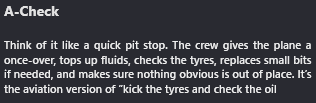
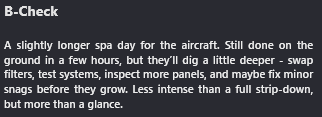
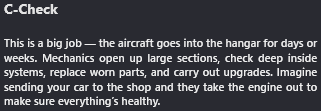
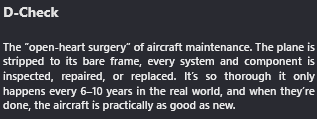
Management
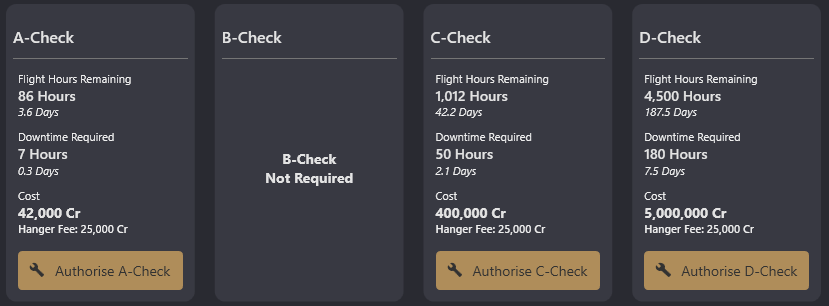
Within the app you'll have access to the 'MX' page within your aircraft's details. This is what it shows you. A detailed breakdown of each check. Now just because the buttons are clickable, doesn't mean you should press them. Unless you want to of course, but understand that curiosity will cost you.
Flight Hours Remaining
Like the title suggests, this is how many hours you have until the aircraft NEEDS this check. Now because some folks don't like hours, we provide days too. That doesn't mean "in 3.6 days" I'll need a check. It's in flying hours that total 3.6 days. In other words, in 86 flight hours. It is possible to overrun these hours too, so you may see minus values.
Downtime required
Again, as the names suggests, it's the required amount of downtime or "not usable" time. So continuing on with the example, in 86 hours, I will need to send my aircraft down for an A-Check at which, this check will take "7 hours", 0.3 days for those hourly impaired. After those 7 hours are up, bingo, the aircraft is ready to go.
Cost
You pay me money. I fix plen.
← Back to Fleet