Fleet Asset - Overview
This guide explains how to use the Fleet Asset - Overview feature in FlyLAT.
Introduction
Welcome to your fleet management at an asset level. This view provides in depth management options for your selected aircraft or asset. This view also provides much more in depth information about your aircraft across a few sub pages.
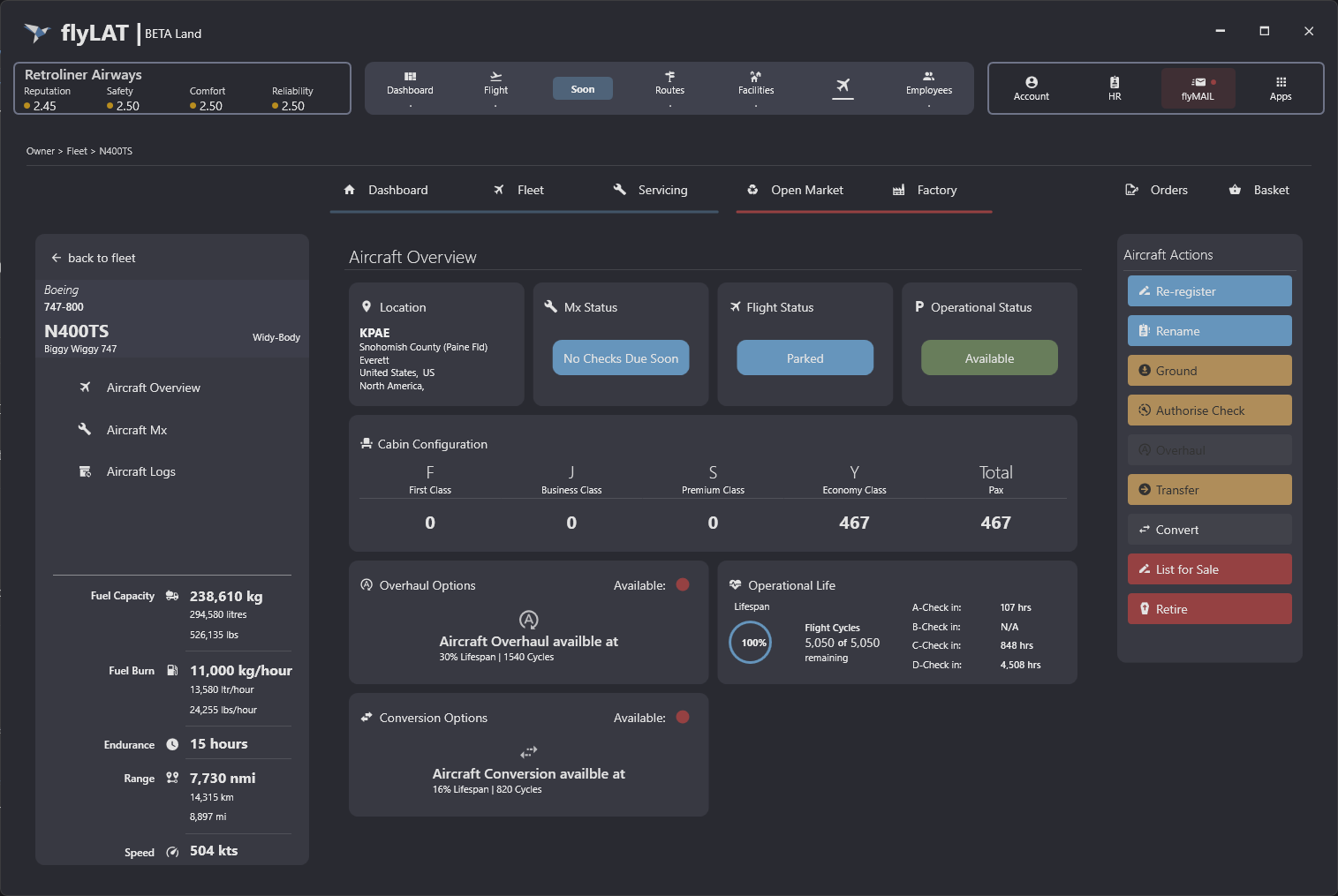
At a glance
Over to the left, we've got our aircraft plaque, containing the same information as the fleet management view. Underneath this, we have our sub menu items of 'Aircraft Overview', 'Aircraft Mx' and 'Aircraft Logs'. Finally half way down this plaque, we have our 'static' information which is specific to this model.
In the centre, we have our main page content. Upon first loading of this management view, the overview page will be shown. Likewise once you click on a sub menu item, this content will change.
Finally, over on the right, we have our management actions. Everything you need to be able to do with your aircraft bar fly it is in this menu.
← Back to Fleet